
In the last post, I installed Ollama and ran Gemma 3 1B from the terminal. Last night I gave that same model a browser interface with Open WebUI, on the same Ubuntu VM built in my home lab.
The end result is a local chat page on my LAN, with saved conversations and a model picker. Getting there uncovered a default that Gemma doesn't support. Once I fixed it, the model happily gave me two wrong answers. I've left them in.
The lab setup
- VM: Ubuntu 26.04.1 LTS on Proxmox VE 9.2, 8 vCPU, 16 GB RAM, no GPU. The older Xeon CPU exposes AVX but no AVX2.
- Already running: Ollama 0.40.7 as a systemd service on
127.0.0.1:11434, with the 806 MBgemma3:1bmodel from the previous post. I kept both exactly as they were. - New: Docker Engine and the Open WebUI slim image.
My VM's LAN address is 192.168.88.16, so you'll see it in the commands below. Swap in your own.
Step 1: Install Docker Engine
I installed Docker Engine from Docker's official Ubuntu apt repository. These commands run inside the Ubuntu VM:
sudo apt-get update
sudo env DEBIAN_FRONTEND=noninteractive apt-get install -y ca-certificates curl
sudo install -m 0755 -d /etc/apt/keyrings
sudo curl -fsSL https://download.docker.com/linux/ubuntu/gpg -o /etc/apt/keyrings/docker.asc
sudo chmod a+r /etc/apt/keyrings/docker.asc
sudo tee /etc/apt/sources.list.d/docker.sources <<EOF
Types: deb
URIs: https://download.docker.com/linux/ubuntu
Suites: $(. /etc/os-release && echo "${UBUNTU_CODENAME:-$VERSION_CODENAME}")
Components: stable
Architectures: $(dpkg --print-architecture)
Signed-By: /etc/apt/keyrings/docker.asc
EOF
sudo apt-get update
The prerequisite packages were already current. Then I timed the actual Engine install, including the Compose plugin I'll reuse in later posts:
/usr/bin/time -p sudo env DEBIAN_FRONTEND=noninteractive apt-get install -y docker-ce docker-ce-cli containerd.io docker-buildx-plugin docker-compose-plugin
sudo systemctl is-active docker
sudo docker version
sudo docker compose version
A few lines from the real output:
Need to get 102 MB of archives.
After this operation, 388 MB of additional disk space will be used.
real 25.75
user 22.84
sys 5.33
active
That gave me Docker Engine 29.9.2 and Docker Compose v5.6.0. I used sudo docker throughout.
Step 2: Pull the Open WebUI slim image
I chose the slim image. I only need chat through an existing Ollama server here, so the bundled speech and local embedding stack would sit unused. This walkthrough doesn't set up document search or voice.
/usr/bin/time -p sudo docker pull ghcr.io/open-webui/open-webui:slim
sudo docker image inspect ghcr.io/open-webui/open-webui:slim --format '{{json .RepoDigests}} {{.Size}} {{json .Config.Labels}}'
Digest: sha256:abd02d41e522d41be389d28d1a73752cd2afc4aa46f980b60d490ecc9379c16b
Status: Downloaded newer image for ghcr.io/open-webui/open-webui:slim
real 55.45
user 0.16
sys 0.15
The pull took 55.45 seconds, and the running app reports Open WebUI 0.12.3. slim is a moving tag, so the launch command below pins the exact digest that pull resolved to.
Step 3: Run it with host networking
I used host networking on this Linux VM. That lets the container reach Ollama at 127.0.0.1:11434, exactly where it was already listening. On a normal bridge network, the container's localhost is its own network namespace, not the VM. Host networking means I didn't have to touch Ollama's systemd service or expose its unauthenticated API on the LAN. The trade-off is that the container shares the host's network namespace.
The UI binds to 192.168.88.16:3000. There's no -p 3000:8080 with host networking; PORT=3000 sets the app's listening port directly.
First, a named data volume and a persistent signing key. This is first-time setup only: keep that key file for future container replacements rather than regenerating it.
sudo docker volume create open-webui
sudo install -m 0700 -d /etc/open-webui
sudo sh -c 'umask 077; printf "WEBUI_SECRET_KEY=%s\n" "$(openssl rand -hex 32)" > /etc/open-webui/open-webui.env'
Here's the final launch command, including the two startup fixes I describe just below. The named volume holds users, settings and chats, and --restart always brings it back after a reboot.
IMAGE=$(sudo docker image inspect ghcr.io/open-webui/open-webui:slim --format '{{index .RepoDigests 0}}')
/usr/bin/time -p sudo docker run -d --network=host \
  -e HOST=192.168.88.16 -e PORT=3000 \
  -e OLLAMA_BASE_URL=http://127.0.0.1:11434 \
  -e WEBUI_URL=http://192.168.88.16:3000 \
  -e CORS_ALLOW_ORIGIN=http://192.168.88.16:3000 \
  -e OFFLINE_MODE=true -e ENABLE_OPENAI_API=false \
  --env-file /etc/open-webui/open-webui.env \
  --health-cmd='curl --fail --silent http://192.168.88.16:3000/health | jq -e ".status == true" || exit 1' \
  --health-start-period=60s --health-interval=10s --health-timeout=5s \
  -v open-webui:/app/backend/data \
  --name open-webui --restart always "$IMAGE"
curl --retry 25 --retry-connrefused --retry-delay 2 --fail --silent --show-error http://192.168.88.16:3000/health
Two startup gotchas
It isn't ready when docker run returns. My first attempt returned a container ID while database migrations were still running, so both curl and my first browser attempt got connection refused. That's why the command above retries the health endpoint. It eventually returned:
{"status":true}
A migration also printed an SQLAlchemy primary-key warning. It completed on its own, with no manual database work.
The defaults assume localhost. The startup logs warned that CORS was set to *, so I pinned the allowed origin to the UI's own URL (an origin setting, not a firewall). And because I bound the app to a specific LAN address, the image's built-in healthcheck was probing localhost, which would never answer. I replaced it with the LAN-IP check you see in the launch command. After that, docker ps reported the container healthy.
My final docker run returned in 0.26 seconds, but that is not a startup time. The health request still needed nine retries, two seconds apart.
A note on exposure: this serves the UI over plain HTTP to my trusted home LAN. UFW was inactive on this VM, and I didn't set up any internet access or port forwarding. Ollama stayed on localhost. Add TLS and proper access controls before you take this beyond a trusted LAN.
Step 4: First run and the admin account
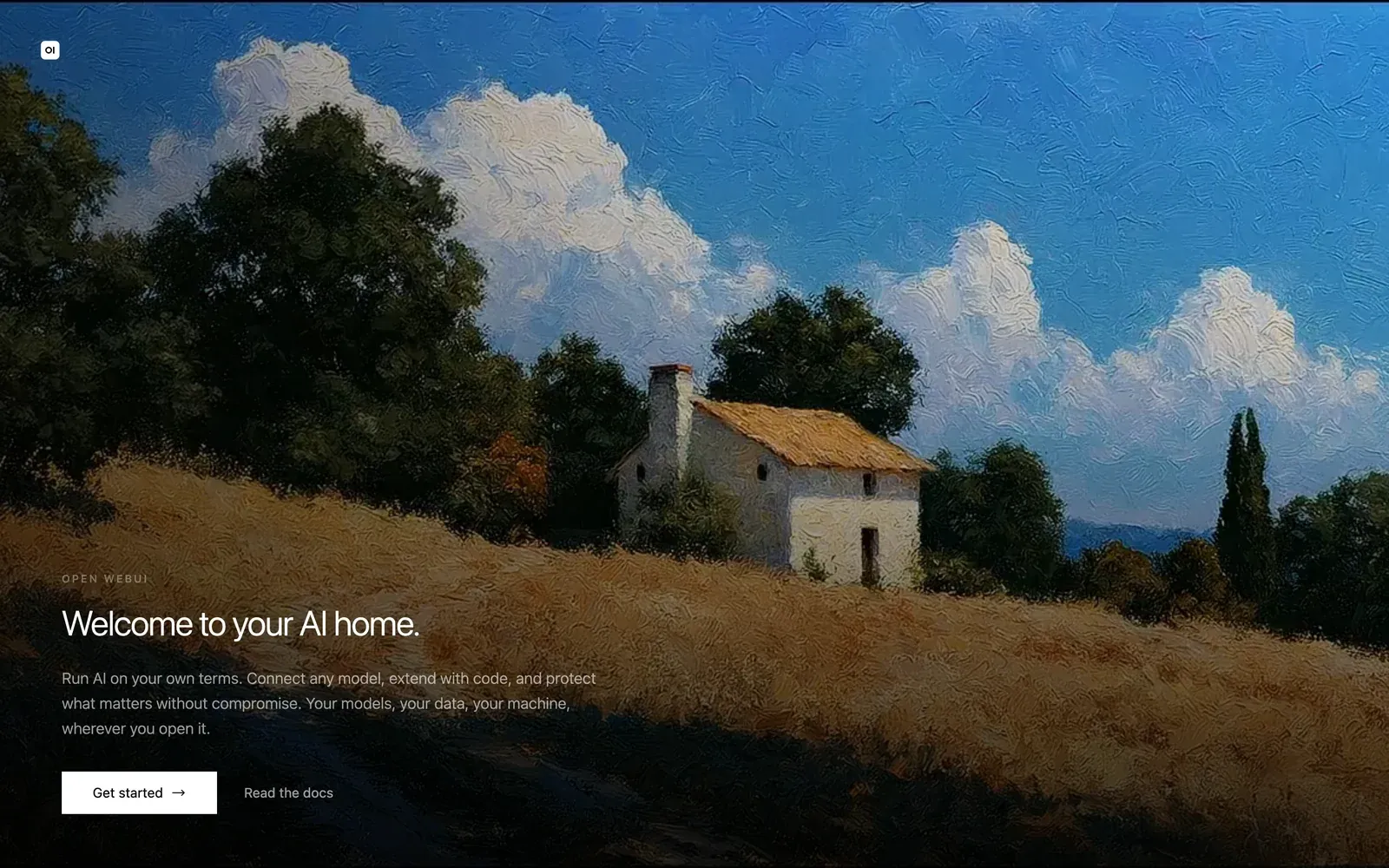
Opening the UI from my Mac brought up the first-run welcome screen:
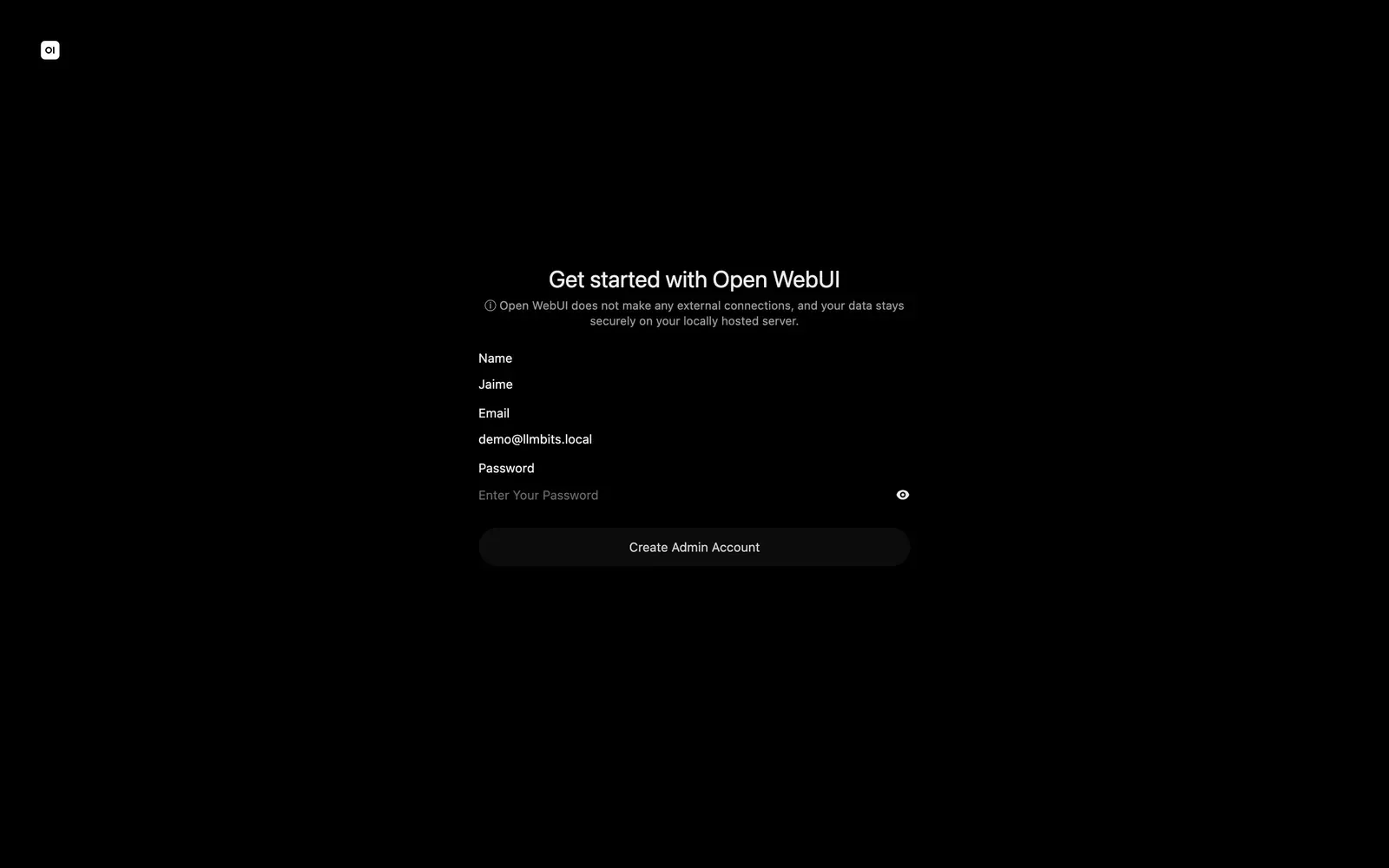
I clicked Get started and created the first admin account with the demo name Jaime and email demo@llmbits.local. Use your own password; this screenshot is from before I typed mine.
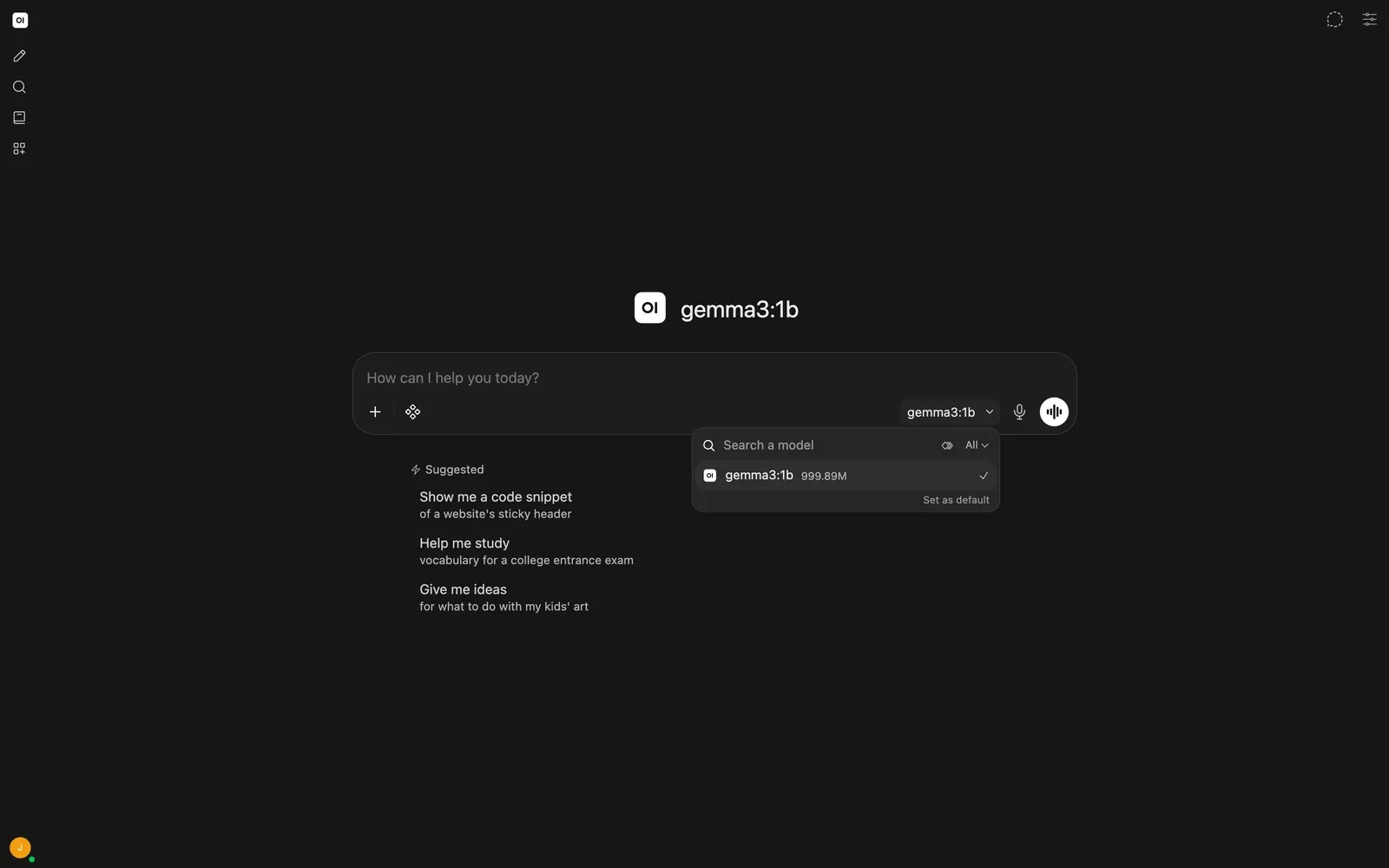
After dismissing the release notes, I opened the model picker. The existing Gemma model was already there, so I didn't need another pull.
Gotcha: "gemma3:1b does not support tools"
My first prompt was simple: "Explain why Open WebUI and Ollama are separate programs, in two short sentences." Instead of an answer, I got:
registry.ollama.ai/library/gemma3:1b does not support tools
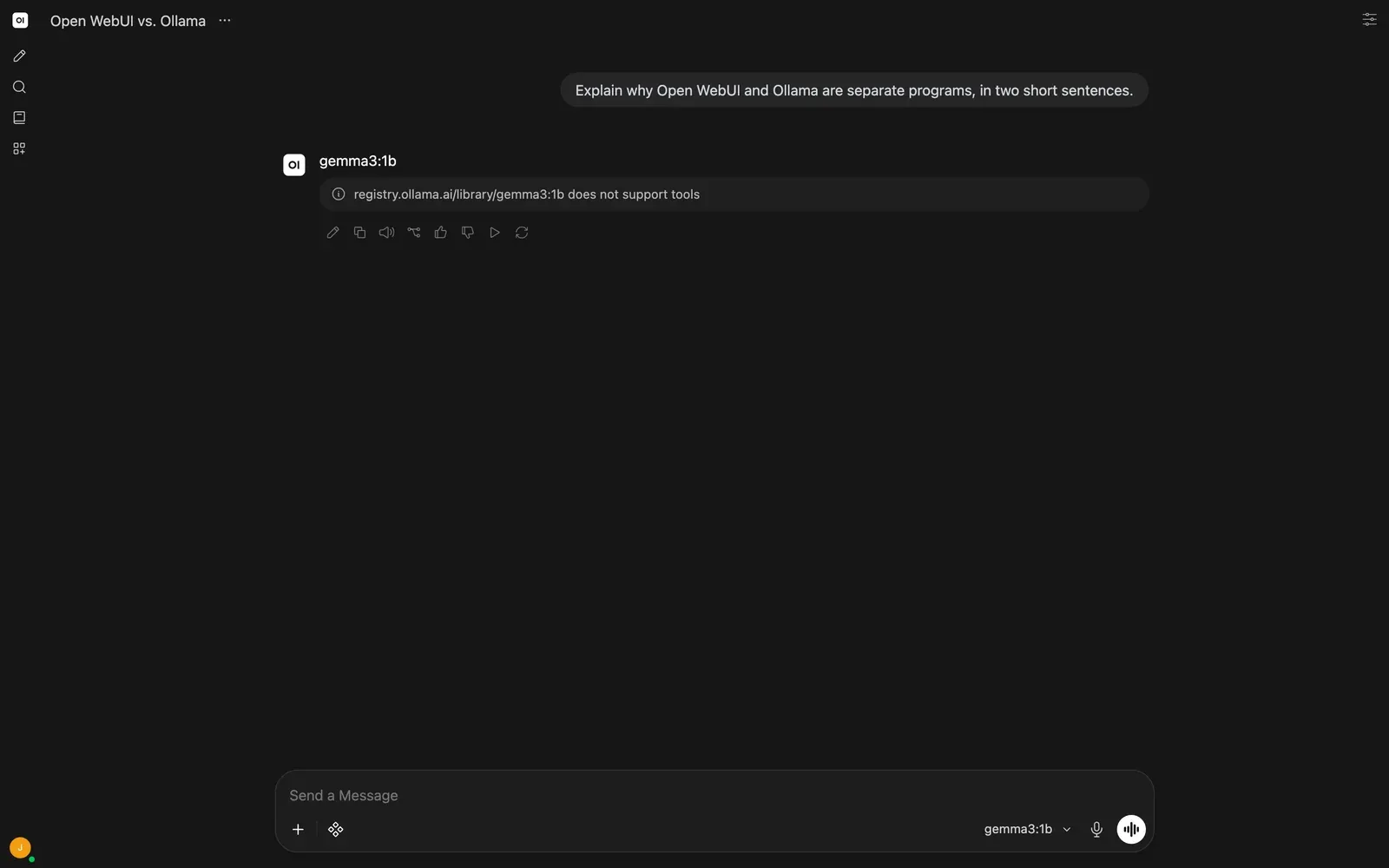
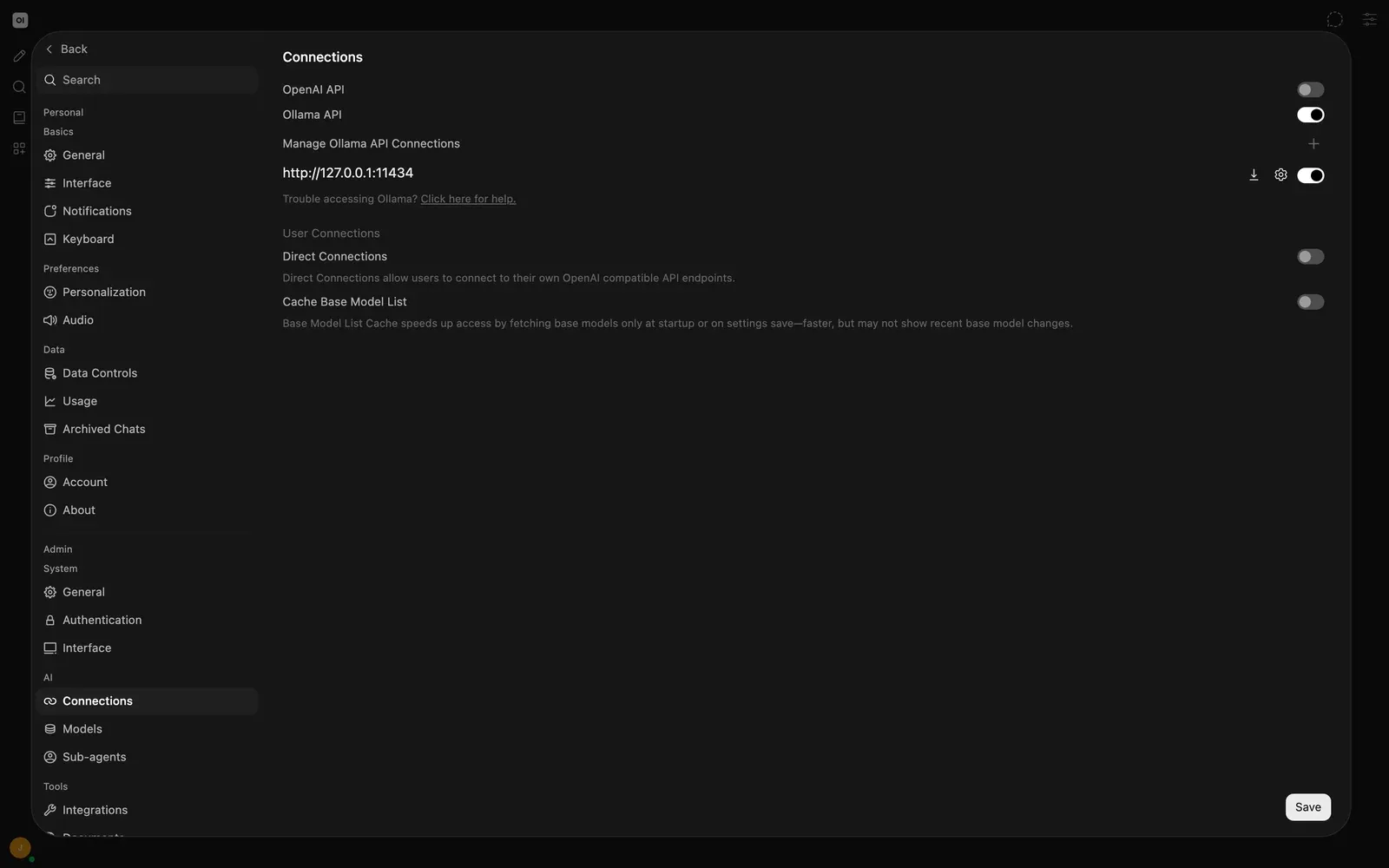
The server log showed an upstream HTTP 400 from Ollama. So the connection was working. I double-checked anyway under Settings → Admin → AI → Connections: Ollama was enabled and pointed at http://127.0.0.1:11434, as intended.
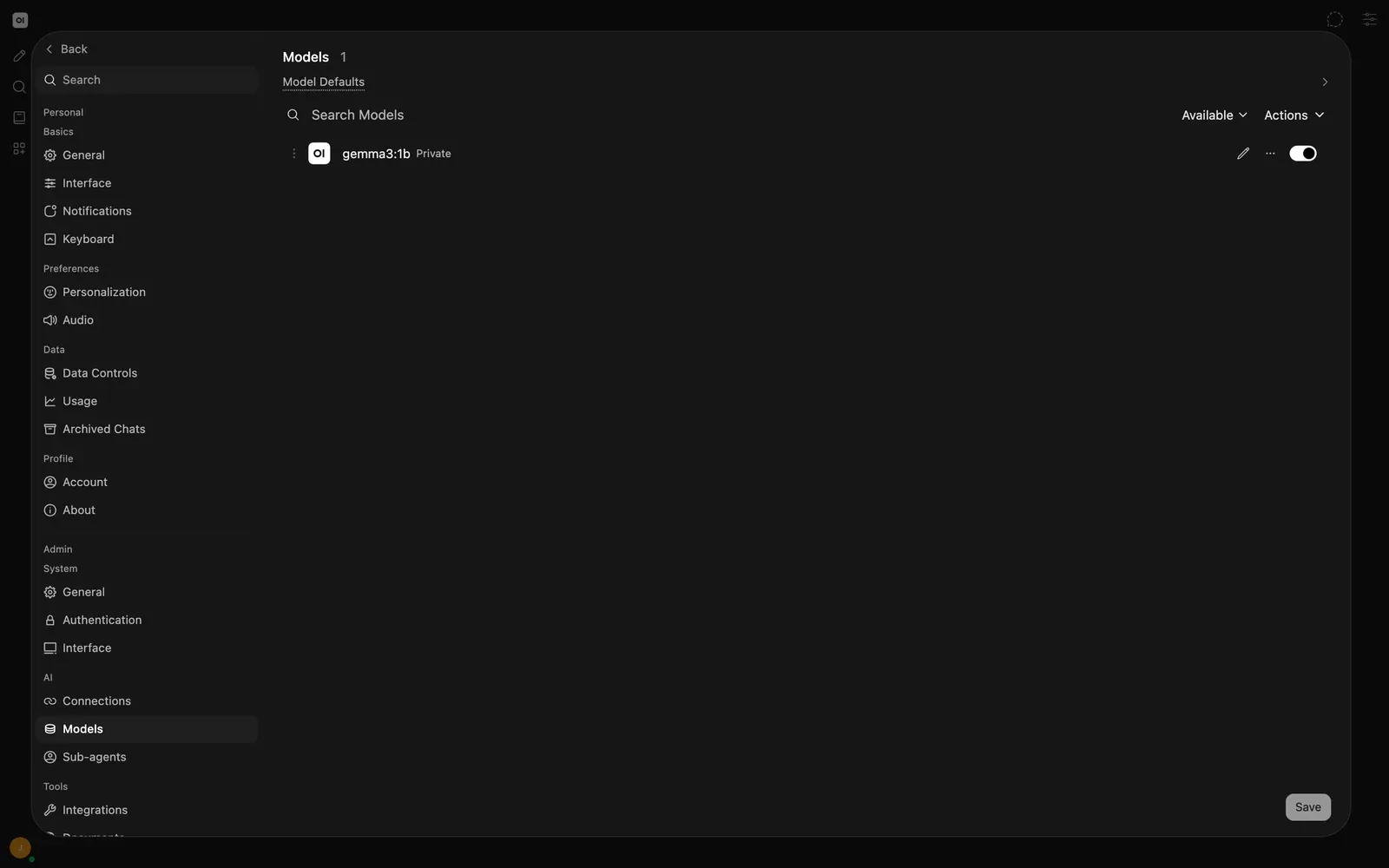
Under Models, the connected base-model list showed gemma3:1b. One small navigation trap: Workspace → Models showed zero, because that page lists saved model presets. The connected base models live in the admin settings.
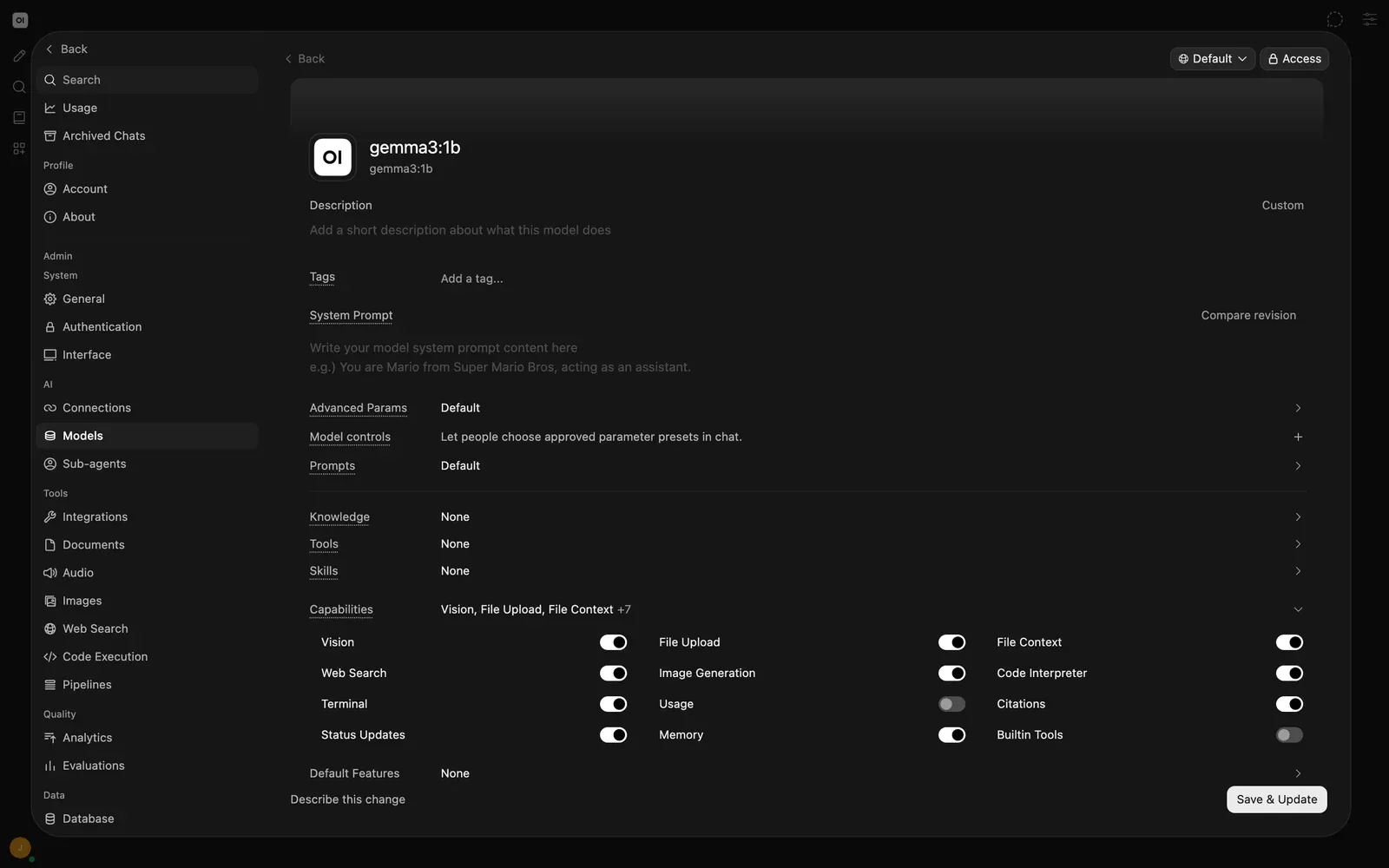
The fix: turn off Builtin Tools for that model
Open WebUI's current defaults attach built-in tools to the chat request, and Gemma 3 1B doesn't do tool calling. The fix was in the model's capabilities: I clicked its pencil icon, expanded Capabilities, switched Builtin Tools off, and clicked Save & Update. Then I reopened the editor to make sure the setting stuck. Open WebUI's connection troubleshooting guide describes this opt-out for plain chat with models that don't support tools.
First real answers (both wrong)
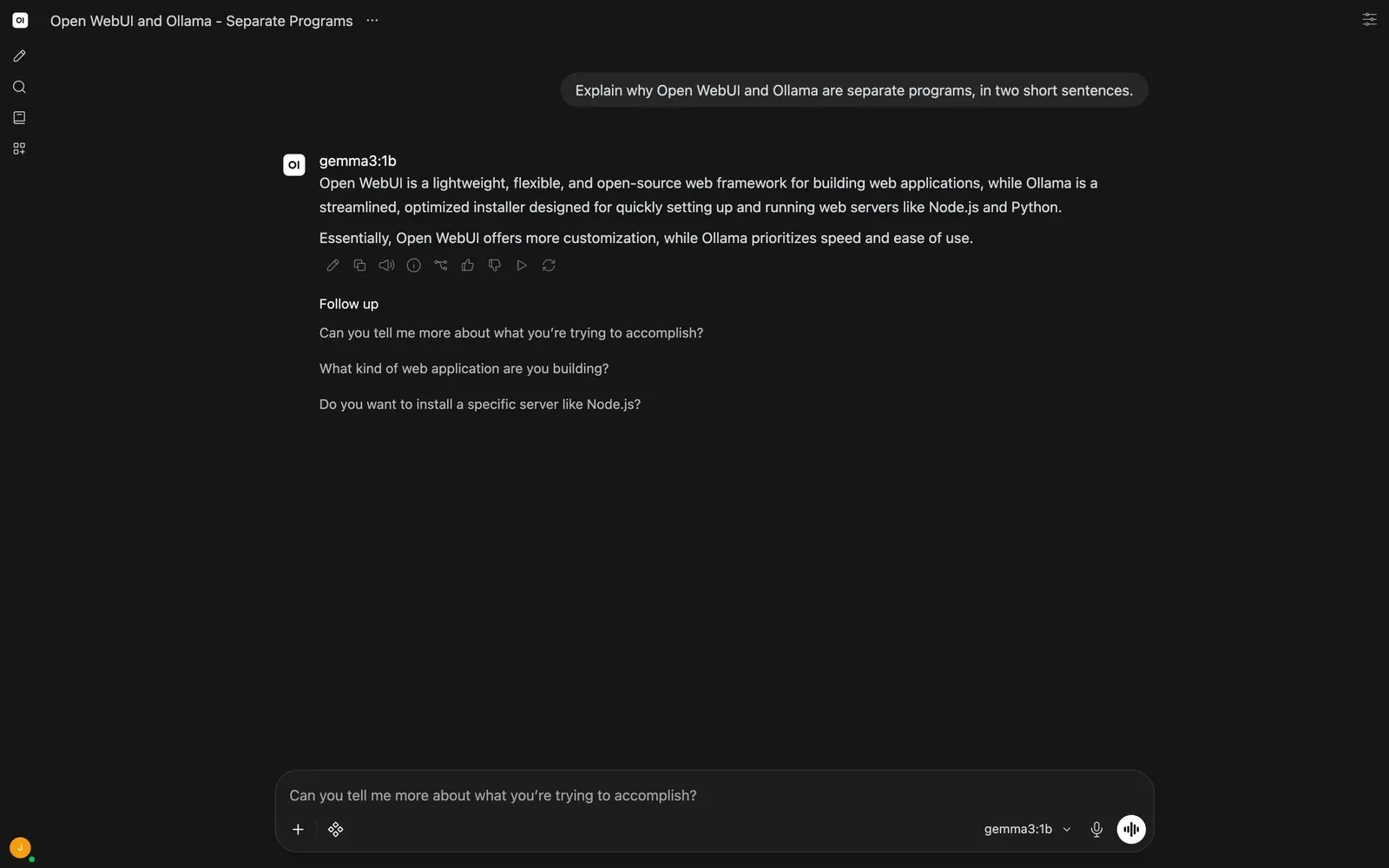
I started a fresh chat and sent the same prompt. This time the model answered, at 24.94 output tokens/s according to the saved response's usage data. Its description of Ollama included this gem:
"a streamlined, optimized installer designed for quickly setting up and running web servers like Node.js and Python."
That's wrong. In this setup, Ollama runs the language model and serves its API; Open WebUI is the chat interface. The model also called Open WebUI a web framework.
For the second prompt, I asked: "What is 173 × 289? Give the exact integer and one short line of working." The complete answer:
173 × 289 = 49827

Working: 173 * 289 = (173 * 289) = 49827
I checked it on my Mac:
python3 -c 'print("173 * 289 =", 173 * 289)'
173 * 289 = 49997
Off by 170.
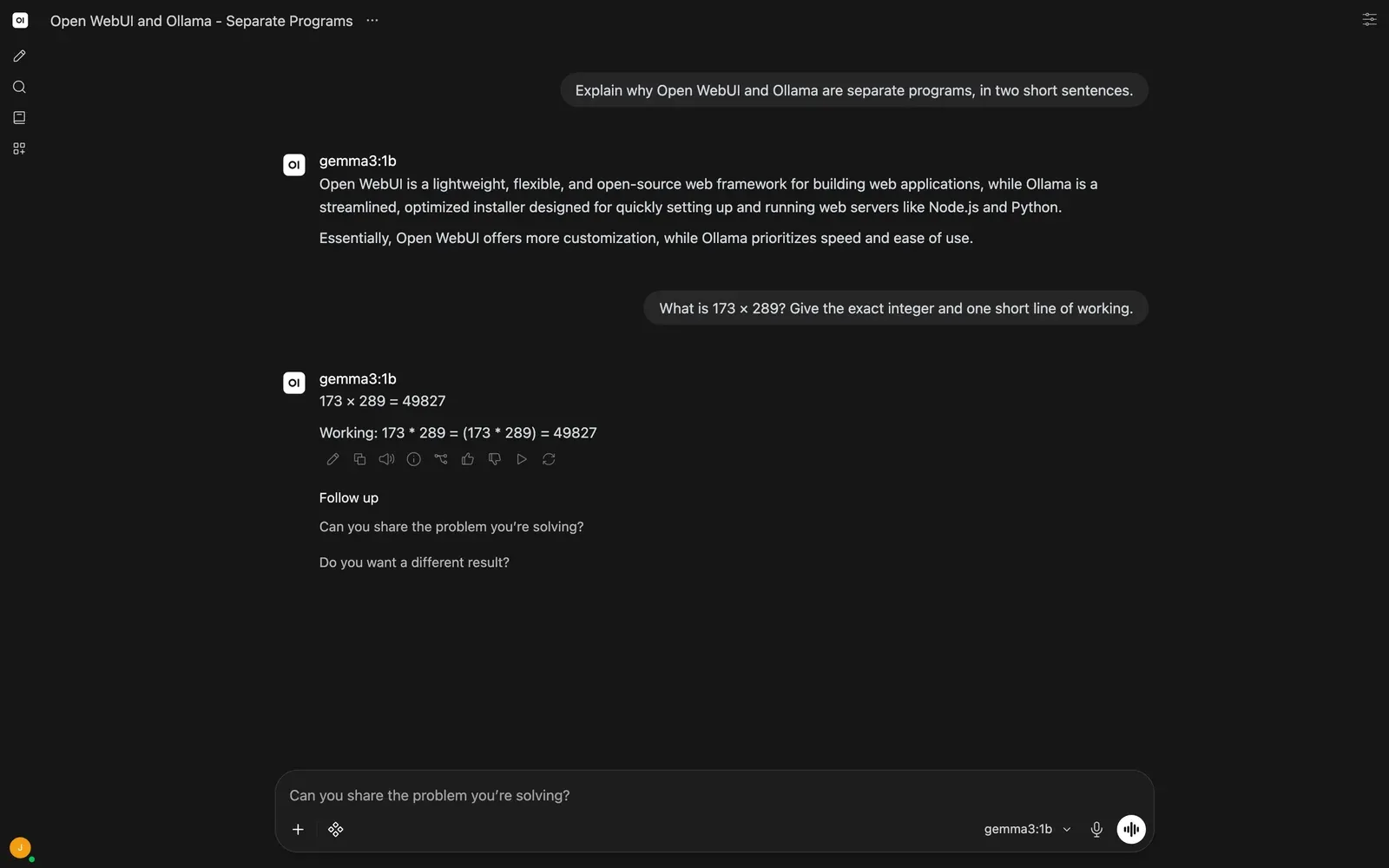
The second reply generated at 22.48 output tokens/s. This is one tiny model and two prompts, not a benchmark. It's still a good reminder to check the answers, even when the interface looks polished.
What it costs to run
Finally, I checked what I'd left running:
sudo docker ps
sudo docker stats --no-stream open-webui
free -h
ollama ps
The final container sample was 307.5 MiB and 1.10% CPU. The whole VM showed 1.9 GiB used out of 16 GiB, with no swap in use, while Gemma was loaded at 883 MB. These are point-in-time readings after the replies, not peak inference numbers, and Docker's container memory doesn't include the separate host Ollama process.
The final checks also confirmed network=host, restart=always, health=healthy, and the open-webui named volume mounted at /app/backend/data. An empty PORTS column in docker ps is expected here, because host networking doesn't create published-port mappings.
Quick recap
- Docker Engine from Docker's apt repo: about 26 seconds to install.
- Open WebUI slim image: 55 seconds to pull, version 0.12.3.
- Host networking lets the container use Ollama on
127.0.0.1:11434with no Ollama changes. - Wait for
/healthbefore you open the browser, and fix the healthcheck if you bind to a LAN IP. - If a small model says it "does not support tools", turn off Builtin Tools in that model's capabilities.
- Read the answers. A 1B model is for plumbing and demos, not facts.
I left Open WebUI running with both chats saved, and Ollama still listening on 127.0.0.1:11434. Next, I'm connecting LibreChat to this same Ollama install to try a second chat interface against the same tiny model.